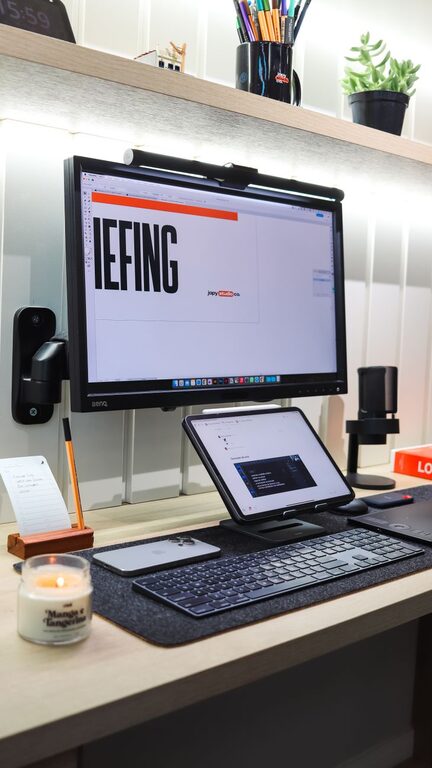
Creating a productive home office environment is essential for anyone working remotely or managing tasks from home. A well-organized and thoughtfully designed workspace can improve focus, reduce distractions, and support your overall well-being. In this post, we’ll explore practical tips to help you set up a home office that encourages productivity and comfort.
Choose the Right Location
Find a Quiet Spot
Select a space in your home that offers minimal noise and interruptions. If possible, choose a room or corner away from high-traffic areas.
Consider Natural Light
Spaces near windows offer natural light, which can boost mood and maintain alertness. Position your desk so you get ample light without glare on your screen.
Invest in Ergonomic Furniture
Comfortable Chair
A good office chair supports your back, encourages proper posture, and reduces discomfort during long work hours.
Adjustable Desk
If possible, use an adjustable desk to alternate between sitting and standing. This can help reduce fatigue and improve circulation.
Monitor Position
Place your computer monitor at eye level, about an arm’s length away, to avoid neck strain and eye fatigue.
Organize Your Workspace
Declutter Regularly
Keep your desk tidy and remove unnecessary items. A clutter-free workspace helps reduce stress and distractions.
Use Storage Solutions
Incorporate shelves, filing cabinets, or desk organizers to keep important documents and supplies within reach but out of sight.
Cable Management
Tidy up cables using clips, sleeves, or under-desk trays to prevent tangling and maintain a neat workspace.
Minimize Distractions
Set Boundaries
If you share your home with others, establish clear work hours and communicate your need for uninterrupted time.
Silence Notifications
Turn off non-essential notifications on your phone and computer to stay focused on tasks.
Background Noise
If complete silence feels isolating, consider soft background music or white noise to enhance concentration.
Personalize Your Space
Add Plants
Houseplants not only improve air quality but also create a calming atmosphere.
Choose Inspiring Decor
Decorate your workspace with items that motivate you, such as artwork, quotes, or photos, without overcrowding the area.
Comfortable Temperature
Ensure the room is at a comfortable temperature to maintain focus throughout the day.
Establish a Routine
Regular Work Hours
Set consistent start and end times for your workday to create structure and balance.
Take Breaks
Schedule short breaks to stretch, move around, and rest your eyes. This improves productivity and reduces burnout.
Transition Rituals
Create rituals to switch into and out of work mode, such as a morning walk or shutting down your computer at day’s end.
Use Technology Wisely
Reliable Internet
Ensure your internet connection is fast and stable to prevent disruptions during meetings or online tasks.
Productivity Tools
Leverage apps for task management, calendars, and communication to keep your workflow organized.
Backup Plan
Have a backup solution, such as offline copies of important files, in case of technical issues.
Improve Lighting and Air Quality
Layered Lighting
Use a combination of natural light, overhead lighting, and task lamps for optimal visibility.
Air Circulation
Keep windows open when possible or use air purifiers to maintain fresh air and reduce fatigue.
—
By thoughtfully arranging your home office with these tips in mind, you can create a space that supports concentration, comfort, and productivity. Remember, the best environment is one that suits your personal work style and needs—don’t hesitate to adjust and improve your setup over time.